Add the site
A site is one plant or building. Everything else (machines, connectors, investigations) belongs to a site.
- Open Sites in the left menu and click Add site.
- Enter the site name and location, and choose the industry. The industry sets how strict the decision engine is: pharma, chemicals and utilities get tighter thresholds.
- Pick a card photo, or leave None.
Add the machines
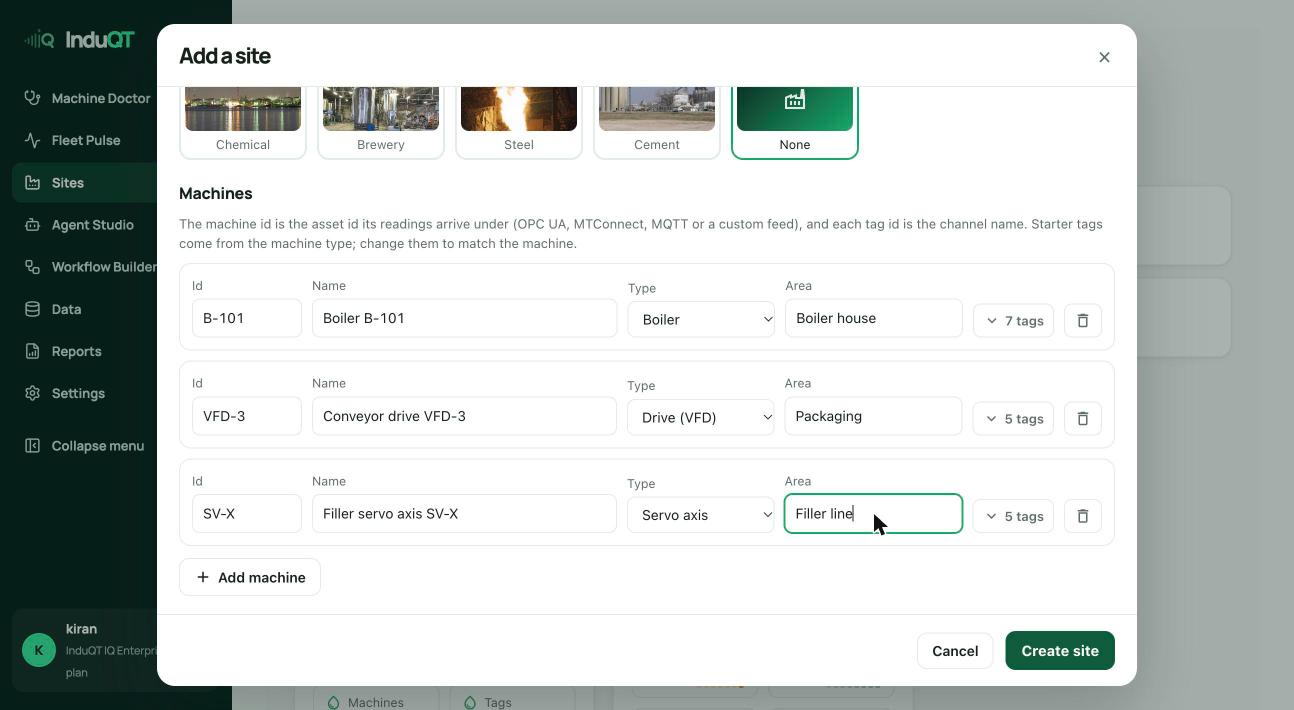
The machine id is the name your data already uses for it: the asset number, the PLC tag prefix or the id in your MQTT topic. Readings sent with that id land on this machine.
The type (boiler, drive, servo, pump…) chooses the starter signals and the knowledge InduQT uses when it diagnoses the machine.
- Fill in the first machine row.
- Click Add machine for each further machine.
- Click Create site.
Check the signal keys
Open a machine’s tags to see its starter signals with units and normal ranges. The tag id is the key the data source sends. Leave it blank and InduQT makes one from the name (Steam pressure becomes steam_pressure).
If your gateway, Node-RED flow or OPC UA mapping already uses other keys, type them here. Matching keys means live data, uploaded files and the normal ranges all meet on one signal.
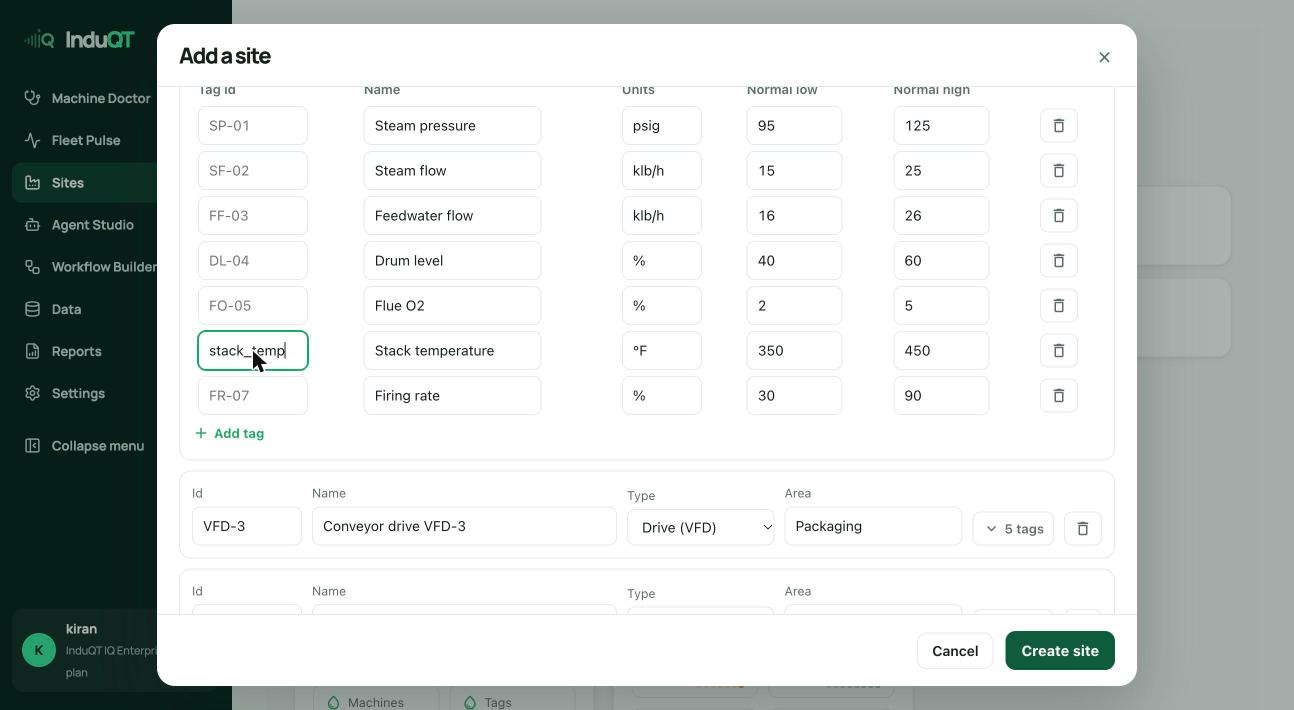
Tip: You can change names, units and ranges later on the machine page, so the starter values do not need to be perfect.
What you see next
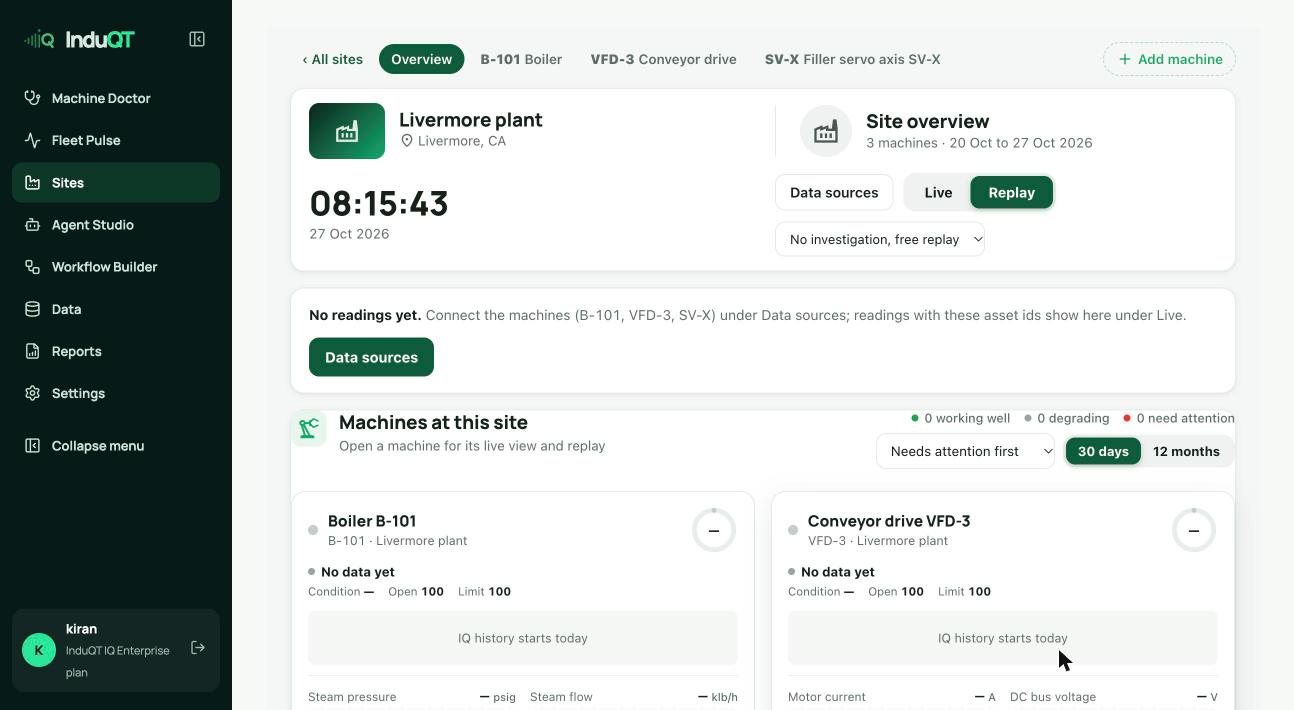
The site opens with its machines and a reminder that no readings have arrived yet. Data sources is where you connect them.